

Resolving the Date and Price Tab Loading Issue
Fix a Date and Price tab that keeps spinning forever while you edit a trip or add a new price by changing one WordPress setting.
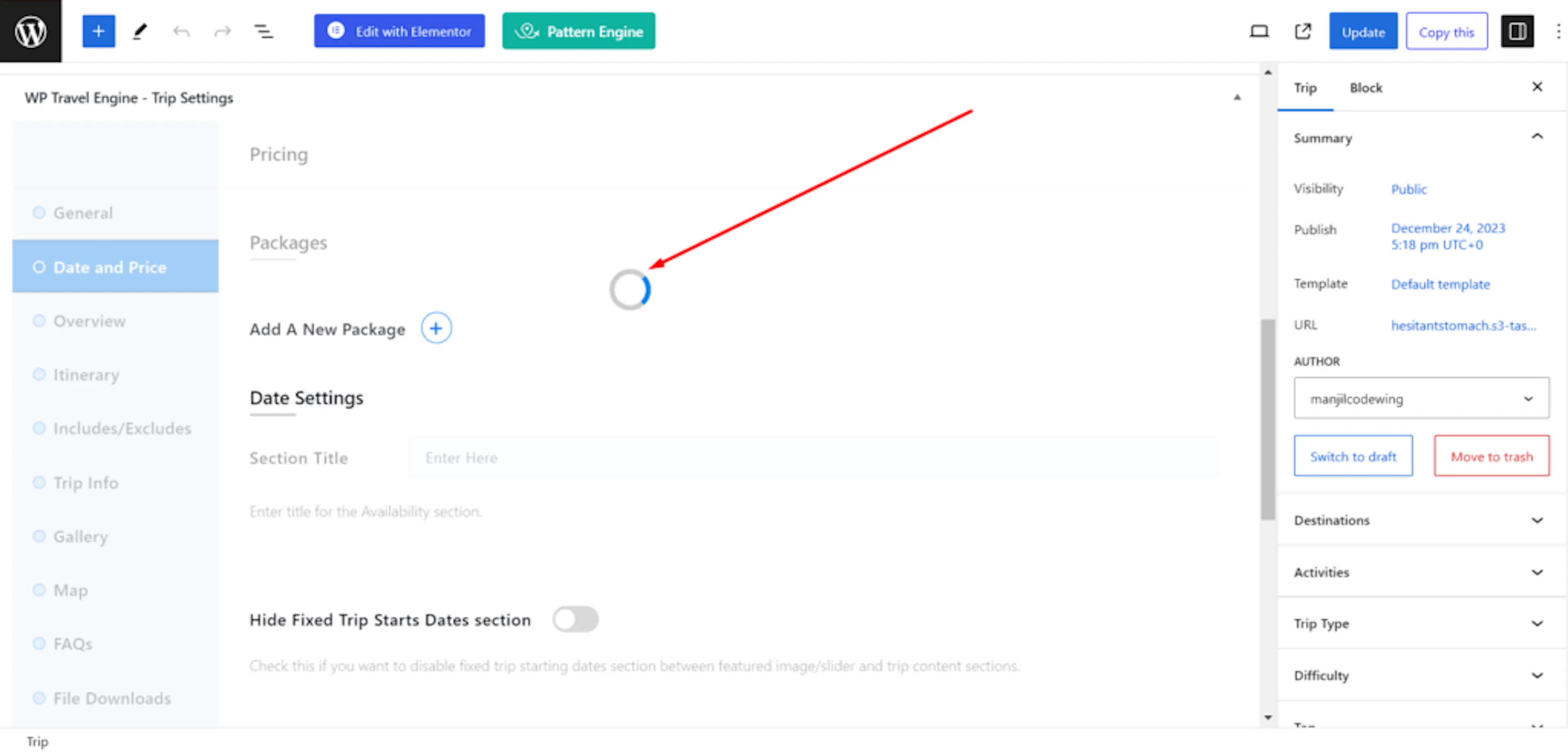
The Date and Price tab can sometimes keep spinning and never finish loading while you edit a trip or add a new price. Say you're adding seasonal pricing for your 3-day valley trek, and the tab will not open. This is a common setup issue, and you can fix it.
How to fix it
A permalink controls what the web addresses look like for each page on your site. For this issue, WP Travel Engine works best when WordPress uses the Post name permalink setting.
You need to be logged in to your WordPress dashboard before you start. The WordPress dashboard is the admin area you see when you log in to manage your site.
Open your Permalink settings
This is where WordPress stores the setting that is causing the problem.
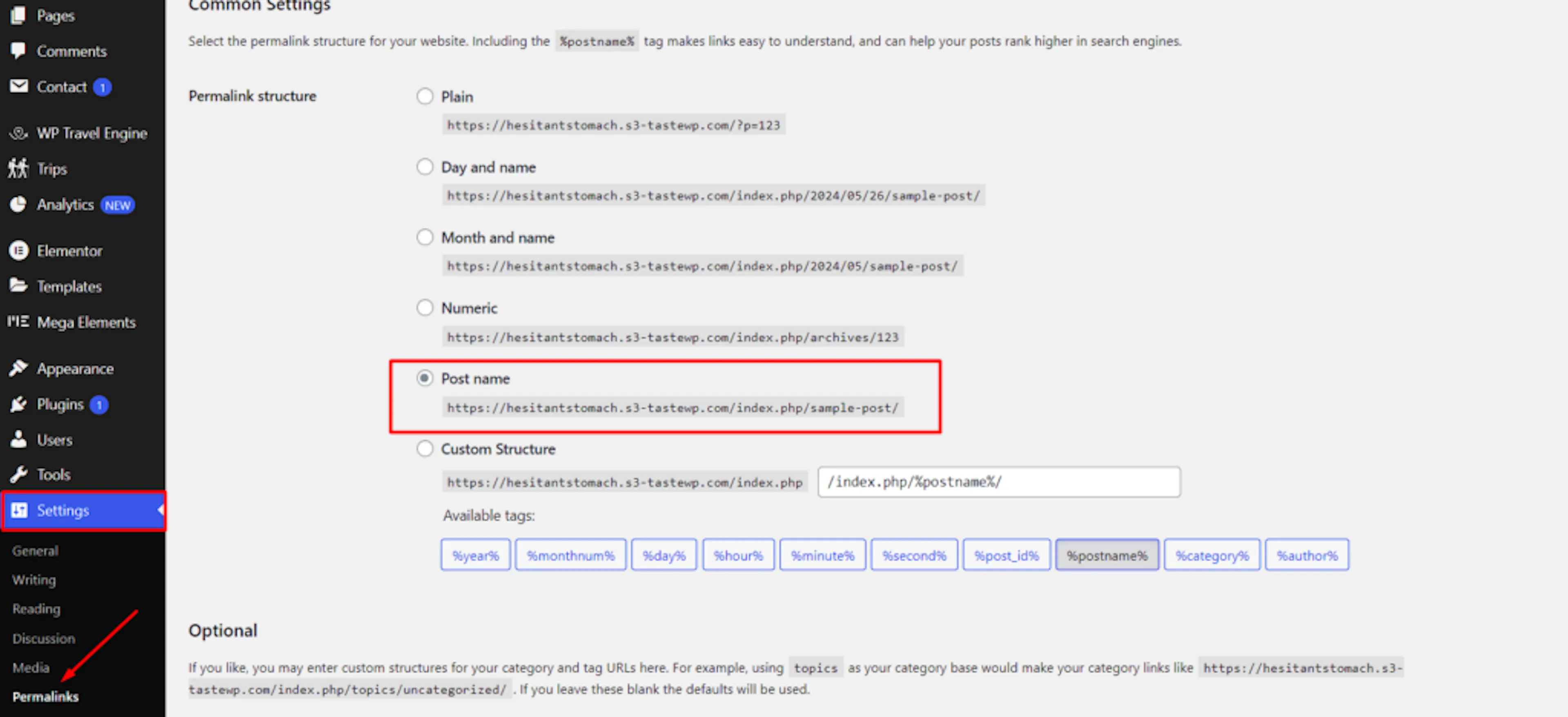
On the left side of your WordPress dashboard, hover over Settings, then click Permalinks.
Choose Post name
This setting gives your trip pages readable addresses like yoursite.com/champa-valley-trek instead of numbers. WP Travel Engine loads trip data more reliably with this setting.
Under Common Settings, select Post name.
Save your changes
Scroll to the bottom of the page and click Save Changes.
Then go back to your trip and check the Date and Price tab. It should load properly now.
If Post name is already selected, click Save Changes anyway. Sometimes WordPress needs a nudge to refresh its internal links. Saving again does that automatically. This often clears up the issue on its own.
If you're still stuck or have a question we didn't cover, our support team is happy to help. Reach out at our support page and we'll get you sorted.