

Fix: Created Destinations Not Displayed on the Destination Page
Your new destinations, activities, and trip types will appear on your website after you link them to a trip. Follow these two steps to fix it.
Say you added a new destination called Everest Base Camp to organize your trekking trips. Then you open your Destinations page on your website and do not see it there. WP Travel Engine only shows destinations, activities, and trip types after they are linked to at least one trip. A template page is the page WP Travel Engine creates automatically to list your destinations, activities, or trip types. This helps you avoid showing visitors an empty page with nothing to browse.
You need at least one trip before you can link a destination to it. If you have not created a trip yet, you can create one during Step 1.
How to fix it
Assign the destination to a trip
This step connects your new destination to a real trip so it can appear on your website.
On the left sidebar of your WordPress dashboard, go to Trips. Click an existing trip to open it for editing. If you do not have one yet, create a new trip first.
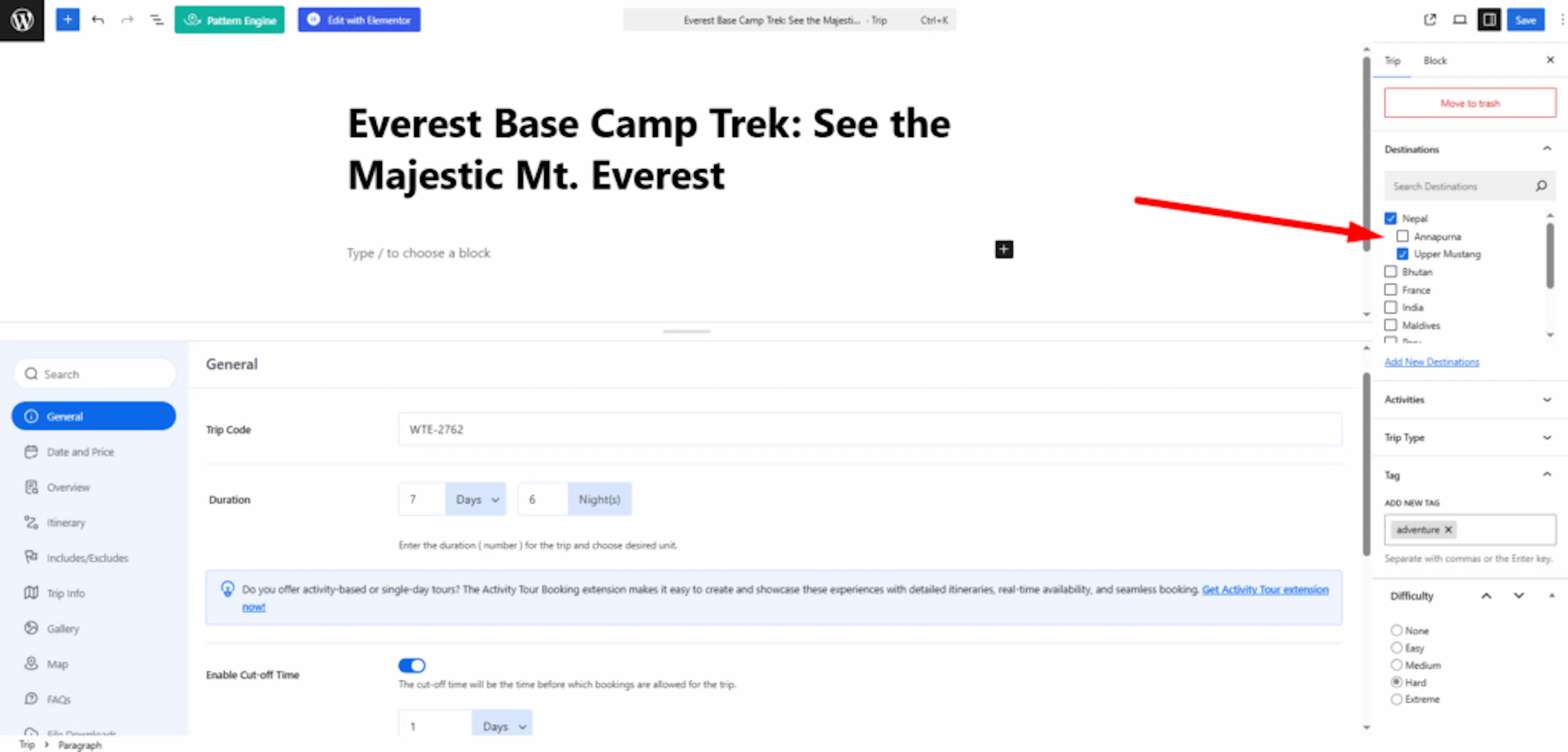
In the trip editor, find the Destination section. Select the destination you created, then save or update the trip. After you do that, WP Travel Engine can include that destination on your website.
Check that it worked
This is the fastest way to confirm the fix without checking your live website first.
On the left sidebar of your WordPress dashboard, go to Trips and then Destinations. Look for the Count column next to your destination.
If the count shows 1 or more, the destination is linked to a trip and will show on your website. Once you see a number there, you are all set. The destination will appear on your website's Destinations page.
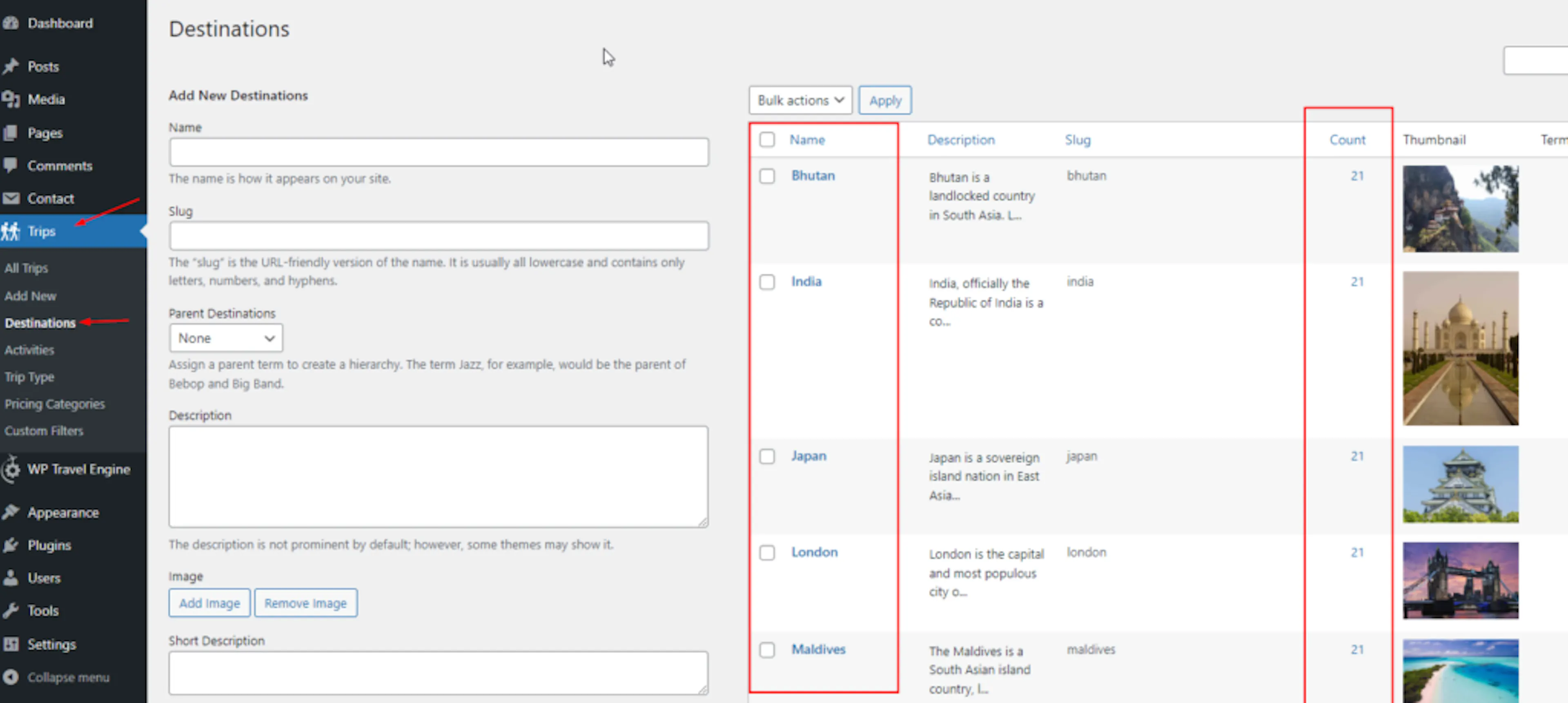
These steps use Destinations as the example, but the process is the same for Activities and Trip Types. To check those, go to Dashboard → Trips → Activities or Dashboard → Trips → Trip Types on the left sidebar of your WordPress dashboard.
Still having trouble?
If you're still stuck or have a question we didn't cover, our support team is happy to help. Reach out at our support page and we'll get you sorted.
\