

How to Give a WP Travel Engine Plugin Review on WordPress.org
Leave a rating and review for WP Travel Engine on the WordPress.org plugin directory so other tour operators can find it and learn from your experience.
Share your WP Travel Engine experience
Your review helps the WP Travel Engine team improve the plugin. It also helps other tour operators decide whether the plugin fits their business.
WordPress.org is a free directory where WordPress plugins are listed. It is separate from your own website. You need a WordPress.org account to leave a review.
If you do not have a WordPress.org account, create one before continuing. The steps below assume that you are already logged in.
What you'll need before you start
- A WordPress.org account
- WP Travel Engine installed on your website. This is recommended so your review reflects your real experience.
Once you have these ready, you can open the review form.
Submit your review
These steps take you from the plugin page to the published review.
Find the WP Travel Engine reviews page
Open the WP Travel Engine reviews page on WordPress.org.
This page shows ratings and comments from people who use the plugin. You will also find the button for writing your own review.
Start a new review
Click Add your own review. You will find this option near the reviews on the page.
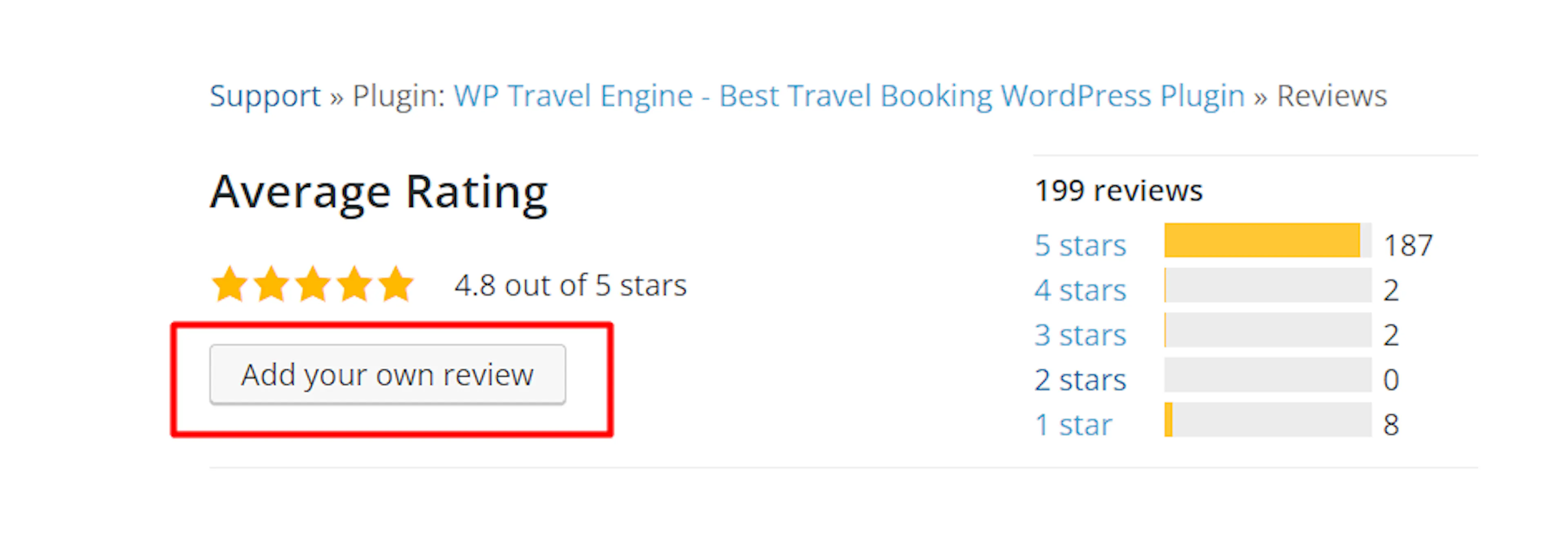
The review form will open so you can share your experience.
Choose a rating and write your review
Choose the number of stars that matches your experience. Then write a few details about using WP Travel Engine.
Mention the type of tours you offer and what the plugin helped you do. For example, you could describe how you listed a 5-day trek with several departure dates. You could also mention how you set up a day tour or added a group discount.
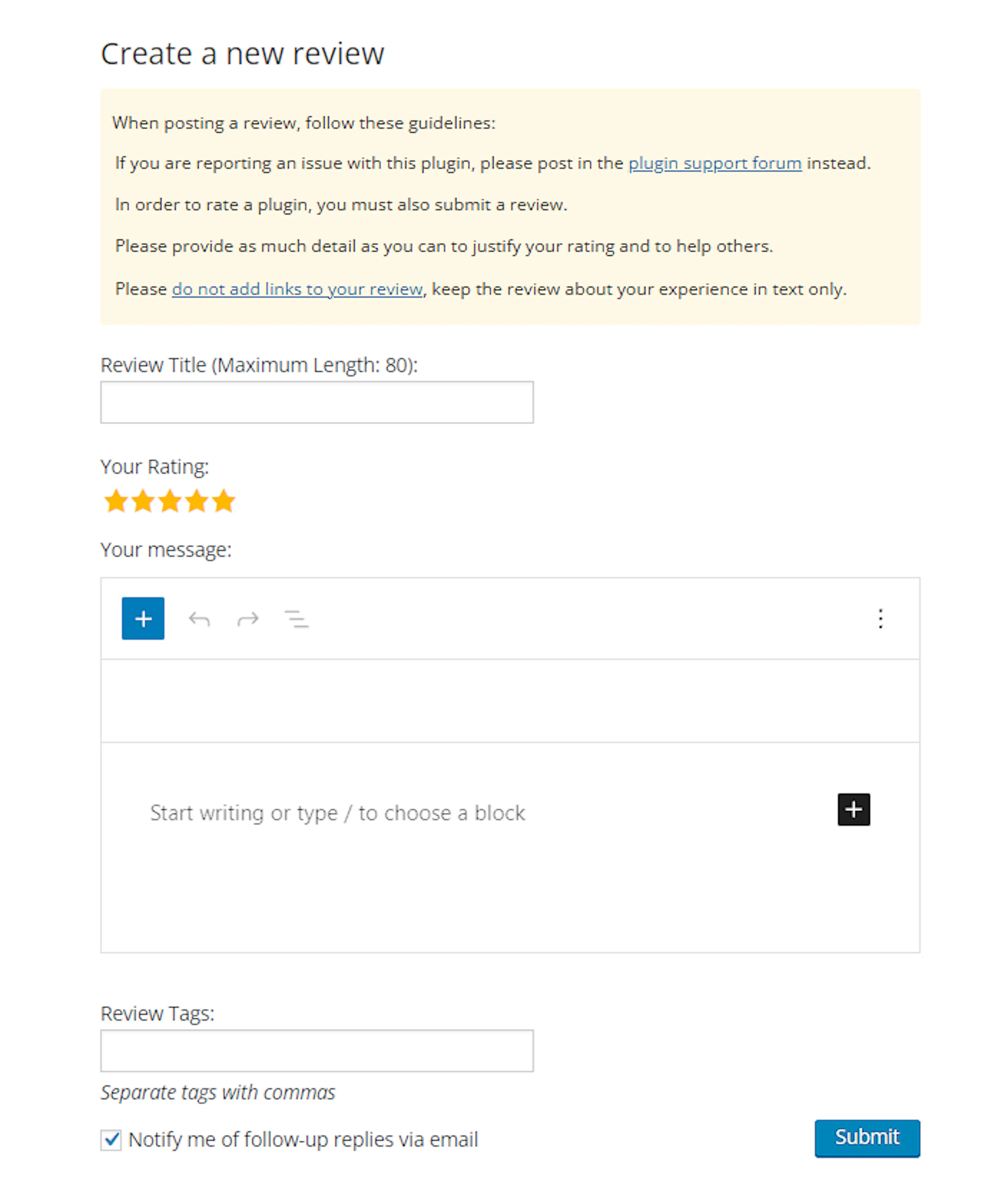
A detailed review gives other tour operators useful information.
Submit your review
Click Submit at the bottom of the form.
Your review has been sent. It may take some time to appear on the plugin page.
Your review is now on its way. You can check the reviews page to see when it becomes visible.
Check that your review was published
After a short while, revisit the WP Travel Engine reviews page.
Look through the reviews for your rating and comment. If you do not see it immediately, check again later.
If you appreciate the WP Travel Engine plugin, share a detailed review and consider giving it a 5-star rating. Reviews help other tour operators discover the plugin.
If you're still stuck or have a question we didn't cover, our support team is happy to help. Reach out at our support page and we'll get you sorted.